> For the complete documentation index, see [llms.txt](https://hulkplugins.gitbook.io/international-telephone-field-for-elementor-form/llms.txt). Markdown versions of documentation pages are available by appending `.md` to page URLs; this page is available as [Markdown](https://hulkplugins.gitbook.io/international-telephone-field-for-elementor-form/international-telephone-field-for-elementor-form.md).
# International Telephone Field For Elementor Form
This plugin simplifies mobile number entry by guiding users to select their country code, ensuring accurate and properly formatted data submissions.
## Overview
The Elementor Forms International Phone Input plugin is an essential tool that empowers your forms with a specialized field for international phone numbers.
It allows users to input and validate phone numbers in the correct format for their country or region, improving the user experience and data accuracy in your Elementor forms.
## Features
* Easy to use
* International Number Format
* Smart Auto-Detection
* Preferred Countries List
* Selective Country Control
* Validation and Error Handling
* Enhanced User Experience
* Automatically format the number as the user types
* Default value
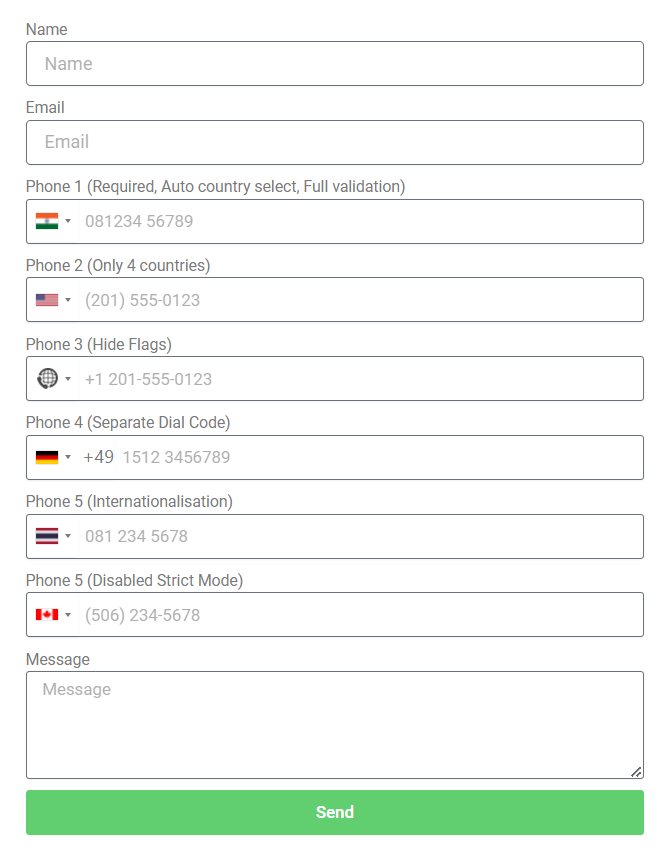
## Frontend Preview
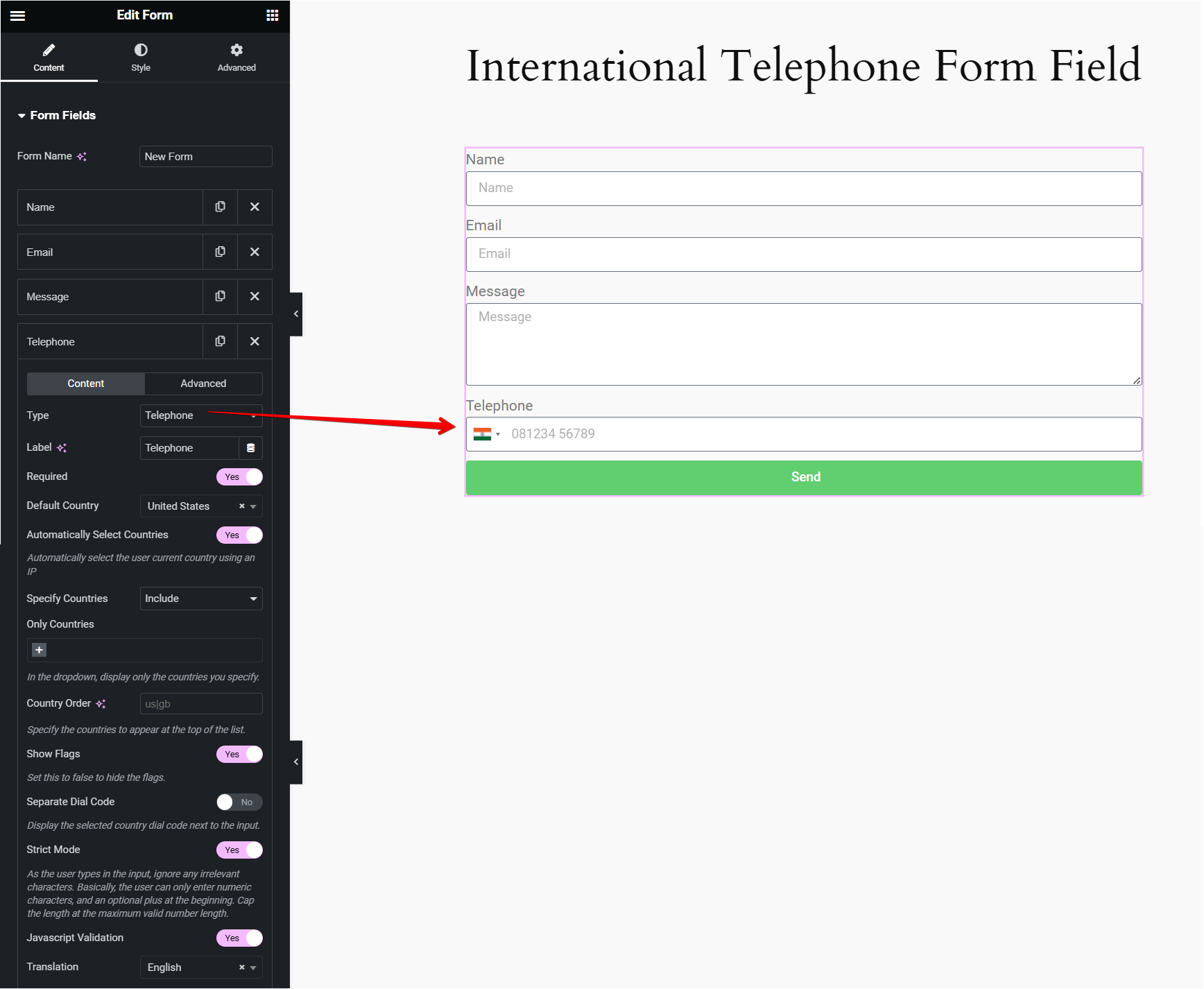
## Editor Preview
## Video Overview
{% embed url="" %}
Thank you for purchasing our product. If you have any questions that are beyond the scope of this help file, please feel free to email via my user page contact form [here](https://hulkplugins.com/support/). Thanks so much!